
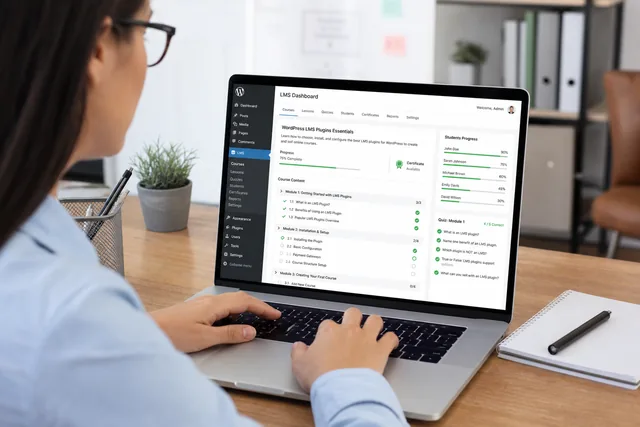
Online courses on WordPress are a proven way to share expertise and sell training. The LMS plugin you choose must be reliable and work well with your existing setup — often WordPress, the Astra theme, and the Elementor page builder.
Below we compare leading LMS plugins by features, cost, and fit for sites built on WordPress.
Leading LMS plugins for WordPress
— LearnDash
— Sensei (from Automattic — the company behind WordPress.com and WooCommerce)
— LearnPress (free core with paid add-ons)
— Tutor LMS (free core with paid add-ons)
— LifterLMS (free core with paid add-ons)
Key differences: cost and quality
1. LearnDash
Quality: widely regarded as the premium standard for WordPress LMS. Powerful, flexible, stable, and feature-rich.
Integration:
— WordPress: native, runs smoothly.
— Elementor: dedicated widgets; also works via add-on packs or shortcodes.
— Astra: commonly paired — both focus on performance and flexibility.
— WooCommerce: full integration for course sales, bundles, and subscriptions.
Features include drag-and-drop course builder, quizzes and assignments, certificates and badges, drip-fed lessons, student forums, groups, reporting, and many third-party integrations.
Cost: from **$199/year** (check current pricing on the official site).
Pros: most complete feature set, strong ecosystem, excellent WordPress / Elementor / WooCommerce fit.
Cons: highest base price; many options can feel overwhelming at first.
2. Sensei
Quality: built by Automattic — solid code and deep ties to WordPress and WooCommerce. Feature set is somewhat slimmer than LearnDash.
Integration:
— WordPress / WooCommerce: native and deep.
— Elementor / Astra: works well; may need more manual layout or shortcodes than LearnDash.
Features: lessons, courses, modules, quizzes, progress tracking, WooCommerce sales, basic reports.
Cost: from **$149/year**.
Pros: dependable, straightforward for simpler courses, strong WooCommerce link.
Cons: fewer advanced options (gamification, groups, detailed analytics).
3. LearnPress
Quality: popular free core with a large community. Quality can vary depending on which add-ons you use.
Integration: good WordPress fit; reasonable Elementor and Astra support; WooCommerce via add-on.
Free core: courses, lessons, quizzes, student management.
Paid add-ons: certificates, drip content, assignments, integrations, gradebook, and more — individually or in bundles (**from ~$49 per add-on** to **$249+** for full packs).
Pros: low entry cost, pick only the features you need.
Cons: full functionality may cost more than one premium plugin; some add-ons less polished than LearnDash.
4. Tutor LMS
Quality: newer but fast-growing; modern interface and strong focus on user experience. Free and Pro versions.
Integration:
— WordPress: solid.
— Elementor: excellent — many native widgets; a key strength.
— Astra: works well.
— WooCommerce: full integration.
Free core: unlimited courses, lessons, quizzes, basic grading.
Pro adds certificates, drip content, email alerts, front-end instructor dashboard, advanced reports, prerequisites, and integrations — **from ~$199/year**.
Pros: modern UI, strong Elementor integration, generous free tier, active development.
Cons: shorter track record than LearnDash — though maturity is improving quickly.
5. LifterLMS
Quality: capable plugin aimed at full online schools. Good reputation for membership-style training.
Integration: works with Elementor (own blocks) and Astra; WooCommerce via add-on.
Free core: basic courses, lessons, modules.
Paid add-ons and bundles: course tracks, achievements, certificates, memberships, social profiles, advanced reporting — add-ons **from ~$120/year**; bundles up to **$1,200/year**.
Pros: strong for complex schools and gamification.
Cons: total cost rises quickly with many add-ons; steeper setup than simpler plugins.
Our recommendations
LearnDash — premium choice:
The most proven, flexible option. Best Elementor and Astra integration in the professional tier. If budget allows, it is the safest long-term investment for serious course businesses.
Tutor LMS — strong value, especially with Elementor:
If LearnDash is above budget, or you want a modern interface, Tutor LMS is an excellent alternative. The free version is already usable; Pro is competitively priced. Elementor integration out of the box is a major plus for visually rich course pages.
Sensei suits WooCommerce-first shops with simpler course needs.
LearnPress and LifterLMS fit when you want to start free and add paid modules step by step — watch total add-on cost over time.
LearnDash vs Tutor LMS — short comparison
— LearnDash: longer market history, more extensions for niche requirements.
— Tutor LMS: fresher interface, very strong Elementor workflow, attractive Pro pricing.
Summary
Choosing an LMS depends on course complexity, budget, and whether you rely on Elementor and WooCommerce. LearnDash leads on depth; Tutor LMS leads on modern UX and Elementor pairing at lower entry cost.
Planning online courses on WordPress? Message us in your preferred messenger or fill in the form. Describe your curriculum and sales model — we will recommend a plugin stack, estimate build cost, and outline a timeline.