
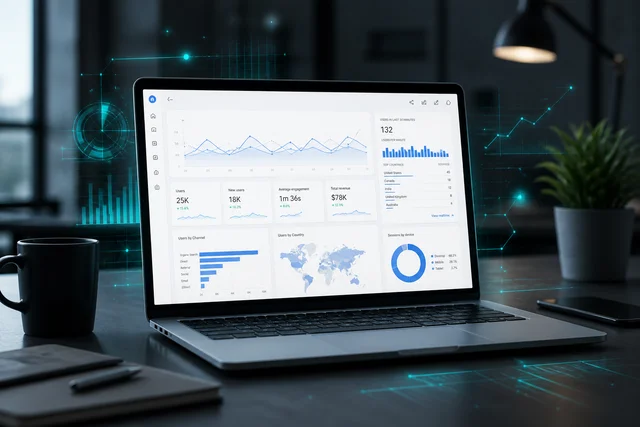
“Google Analytics? GA4? Consent Mode?” — if these terms make you uncomfortable, you are not alone.
Most business owners should not have to master complex technical tools. You only need to know one thing: whether your site brings enquiries, whether advertising pays off, and whether you are spending budget without seeing results.
This article has no dry theory for marketers. Only answers to the main questions: why website analytics matters, why running ads without GA4 is risky, and why it is perfectly fine to leave this to us — and focus on your business.
1. Why business owners hesitate to touch analytics
Fear of numbers is natural. You have already invested in the site, advertising, and your time. Any complex topic can feel like something might break or reveal unwelcome news.
Our clients often tell us:
— “Someone installed a counter once — I’m afraid to touch it in case everything breaks”;
— “I open the dashboard — there are graphs I don’t understand, so I just close the tab”;
— “Ads are running, money is going out, but I can’t tell if there is real return”;
— “The developer says ‘you need GA4’ — it feels like they want to sell something again”;
— “The site looks good but sales are low. I’m afraid analytics will show all the investment was wasted”.
The last fear is the most common. Yet uncertainty costs the most. When analytics is set up properly, it does not scare you. It gives clarity and control: you see what is happening and can influence the outcome.
2. What website analytics means in plain terms
Analytics is not magic for developers. It is clear answers to questions you ask yourself every day as a business owner:
Where do visitors come from — Google, ads, Instagram, or a referral?
Do they find the “Order” button, the form, or the phone number?
Do they reach purchase, or leave at the first step?
Which ad channels actually work, and which drain budget for nothing?
Google Analytics 4 (GA4) is a free Google service that collects this data. You do not need to sit in it every day. Set the system up properly once — and receive a clear report once a month.
Without analytics you run the business on gut feeling. With it — you see the real picture and control your spending.
3. New site or years online: what changes
If the site has just launched
You have no history yet. To avoid months of guesswork, GA4 is needed from day one. It shows whether people find the enquiry form and whether ads bring real contact, not empty clicks. That is your safeguard against an inefficient start.
If the site has been running for years
Here the problem is different: “Numbers used to be collected, but now everything is broken.”
Google has moved all sites to GA4. If outdated tracking code remains on your site, data stops collecting. That does not mean the site is broken. It is a signal that analytics needs updating — the same way you update WordPress or plugins.
4. What you get from Google Analytics 4
Older counters only counted “visits”. Today that is not enough. GA4 tracks not just visits but what users do:
— submitting a contact form;
— clicking a phone number or opening a messenger;
— adding a product to cart and completing payment.
When website analytics setup is done properly, you do not need to learn complex terms. You get an answer in plain language: “This month you received 45 enquiries — most from Google search.”
5. Three questions you should be able to answer
You do not need to analyse hundreds of graphs. It is enough to know the answers to three key questions:
How many real enquiries did the site bring — calls, emails, purchases?
Where did those customers come from — search, ads, social media?
Do advertising costs return as real profit?
“Lots of visits” is not success yet
A thousand visitors a day means nothing if none of them placed an order. In GA4 we configure goals so you see real results, not just traffic. More detail in our article on how to improve website effectiveness.
6. Advertising without analytics — the costliest risk
Running ads on Google or Meta without analytics is like driving at night without headlights. You see money leaving the account but cannot tell whether people reach purchase.
Before any advertising campaign starts, you need to:
— set up and verify data collection in GA4;
— test that all forms on the site work;
— configure enquiry data sent to ad accounts.
Then you are not spending budget blindly — you see clearly: spent $100 — received 15 enquiries.
7. Why Google Search Console matters too
People often ask: “If I have GA4, why Search Console as well?”
GA4 shows what people do on your site.
Google Search Console shows how people find your site before they visit — which queries, where you rank in Google, whether there are technical errors.
Together they give the full picture. Search Console setup is part of basic SEO for your website — and we explain the data in plain terms. More in our article on why SEO matters.
8. Cookies, GDPR and compliance: what about fines?
If you work with clients in the EU or US, your site needs a cookie consent banner and a privacy policy.
GA4 supports consent mode, which allows lawful statistics collection without breaking data protection rules. Trying to paste code from the internet on your own is risky here — better to leave this to us and avoid legal issues.
9. Why analytics setup is better left to us
There are plenty of guides online, but setting everything up yourself often leads to mistakes:
— code installed twice — statistics double and lie;
— the enquiry form not linked to goals — it looks like ads do not work;
— data protection not configured — risk of warnings from services.
Your time as a business owner is worth far more. You should not repair equipment or handle complex accounting yourself — that is what specialists are for.
10. How we set up analytics
When we take on analytics setup for your project, we follow clear steps:
— connect GA4 to your WordPress site — verify the code is correct;
— integrate Google Search Console to monitor search positions;
— configure goals: form submissions, phone and messenger clicks, purchases;
— run test enquiries to confirm every action is recorded correctly;
— prepare the site for advertising — pass goals to Google Ads;
— explain everything in plain language and prepare convenient monthly reports.
Summary: you get full control
After GA4 is set up properly, you no longer guess — you know for sure:
— how your site performs after launch;
— how many real enquiries you receive each month;
— which customer channels perform best;
— how to allocate budget between ads and SEO.
You do not need to become a GA4 expert. Set the system up once — then run your business.
Google Analytics 4, Google Tag Manager, Google Search Console — if these terms feel uncomfortable, you are not alone. We explain them in plain language in the Glossary on the site.
Need GA4 setup for your website?
Need analytics without stress or jargon? Message us in your preferred messenger or fill in the short form below. We will review your project at no charge, check the current state of your tracking, and prepare a clear estimate for your tasks. Stay the business owner — we handle analytics.